If your document is not properly structured, screen readers and other text-to-speech (TTS) tools may announce content out of order. For simple documents, you will likely have a logical reading order by default, but there are a couple things you might do that could break the logical reading order — and a couple things you should do to help ensure a logical reading order for users of assistive tech.
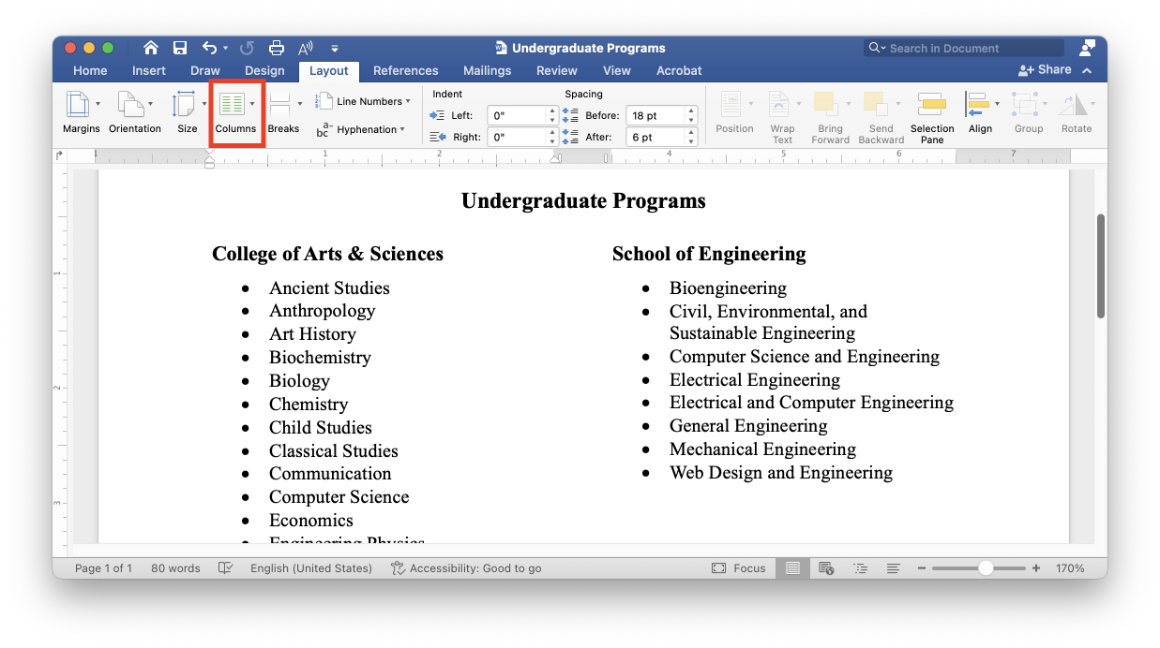
Be careful when creating columns of text. If you want to create columns of text — where you want people to read the first column before they read the second column, for example (like you might see in a newspaper or research paper) — make sure you format your document using the columns feature in Word (under the Layout tab). If you just use tabs to create those columns, screen readers and TTS tools will read your content line by line, rather than column by column.
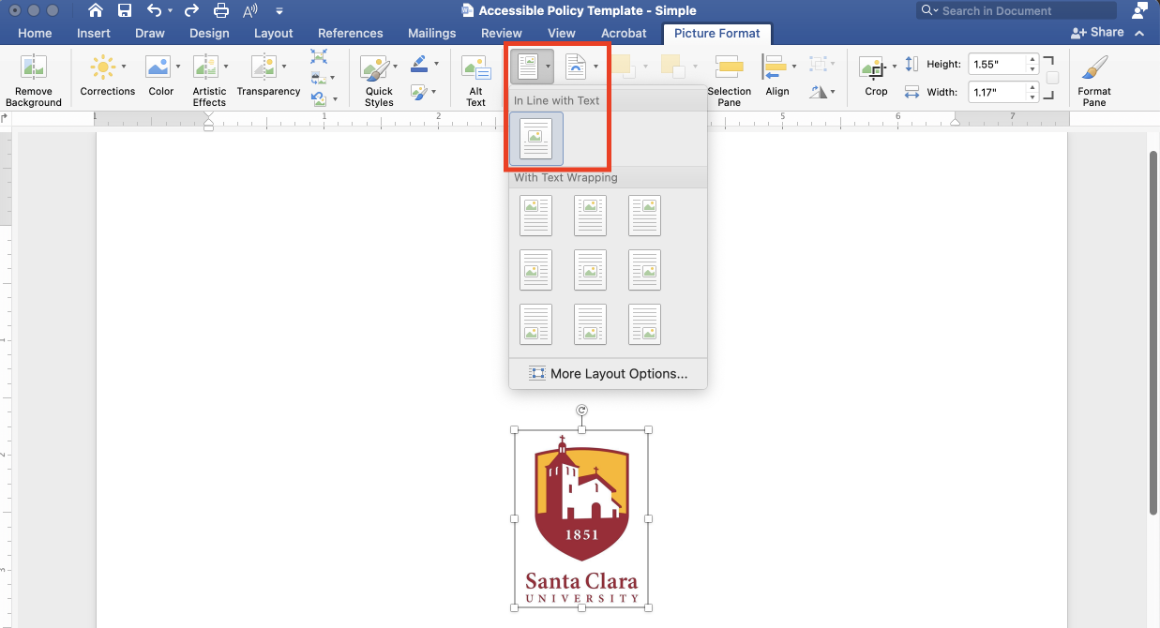
Recall that screen readers can announce alternative text for images. An image’s position will affect when and how it is announced by screen readers. In order to ensure that your images are announced in a logical reading order within your document, we recommend that you set images’ positioning to inline with text. To make an image inline with text, select the image, navigate to the “Layout” tab, select “Position,” and then select “In Line with Text.”
You can use the Read Aloud feature in the Review tab to help you check the reading order. This tool will read your document aloud using the same reading order as screen readers and other TTS tools. (Note that since the Read Aloud feature is designed for sighted users, it will skip over images. Full-fledged screen readers like VoiceOver and NVDA will announce images as well as text.)