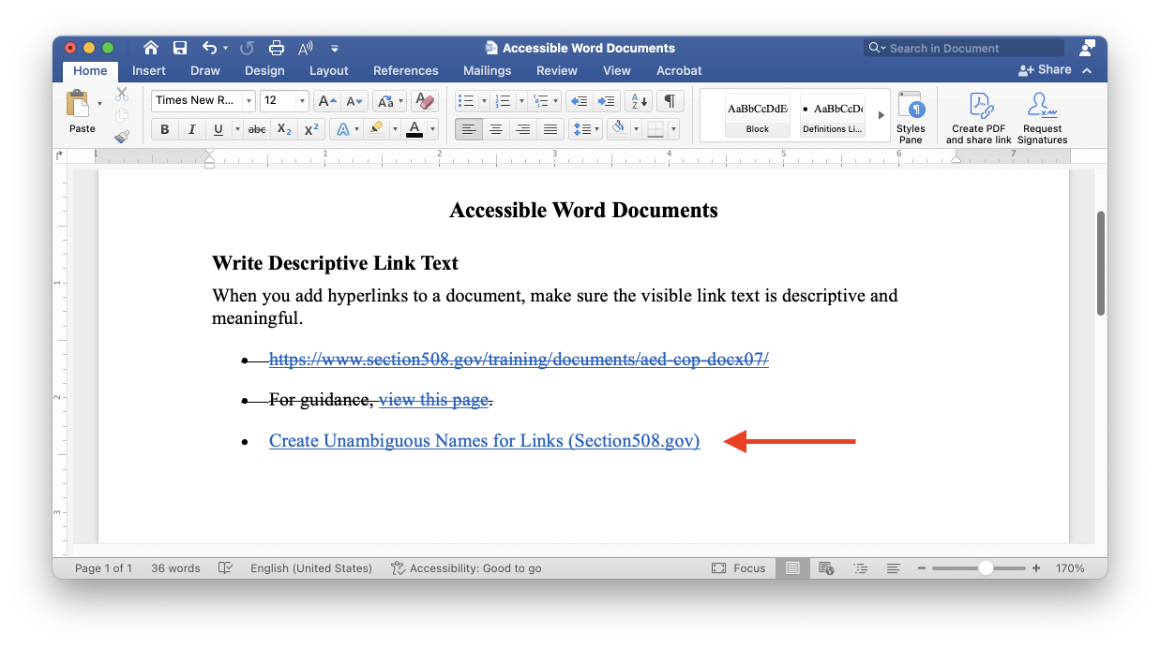
When you add hyperlinks to a document, make sure the visible link text is descriptive and meaningful. Ideally, the link text should make sense out of context. For example, avoid “click here” in favor of “Santa Clara University.” Descriptive text can help all users better understand what a link or button does, and it can be especially important for screen reader users who may lack additional context that’s readily available to sighted users.
In fact, screen readers typically let users pull up a list of all the links in the document, analogous to how sighted users may skim through a webpage or document looking for links. In this way, screen reader users may encounter your links out of context, so it can be especially helpful if your link text makes sense when encountered on its own.
Try to avoid using a URL as your link text where possible. For example, avoid https://www.scu.edu/ in favor of Santa Clara University if that makes sense in context. If you are intending to print the document or if your style guide calls for including the full URL, by all means use the full URL. That is acceptable and is not an accessibility violation. However, by using more descriptive link text where appropriate, we can make a more accessible and inclusive experience.